Constant Kernel Panics!

Lt Major Burns

"Dicky" Charlteston-Burns
My current build is spitting out constant Kernel Panics.

if i boot as normal, into my current start up volume, it boots up fine, logs in, loads up various things including Oboe, Synergy, iScrobbler, Salling Clicker, but soon after it tells me that my mac crashed (offering to send an error report), it Panics again, and thats it.

i can boot up into that volume in Safe Boot (holding shift at boot), which is fine, and i've used that to repair permissions, verify the disk (no problems), and also check out the crash logs in the panic reporter in the console.

the only thing that i can see in the crash logs of any note is com.apple.ATIRadeon9700, but attatched is the full log.

i am now in an older build, on a different partition, which for some reason works fine (almost, see my other thread). this would lead it (hopefully) to be software related... does the crash log point to my Graphics card being on the fritz, or is that standard stuff?

what can i do now?
 
Code:
Sat Sep 23 15:53:41 2006


Unresolved kernel trap(cpu 0): 0x300 - Data access DAR=0x00000000450D7000 PC=0x0000000000978730
Latest crash info for cpu 0:
   Exception state (sv=0x44B44500)
      PC=0x00978730; MSR=0x00009030; DAR=0x450D7000; DSISR=0x40000000; LR=0x009ACC28; R1=0x2C46B9C0; XCP=0x0000000C (0x300 - Data access)
      Backtrace:
0x009ACBC4 0x009AB7F0 0x009862B4 0x00986374 0x00983BD0 0x00983FE0 
         0x002EB0D0 0x0008CA44 0x000291C0 0x000233AC 0x000AC02C 0x3E3C6B65 
         backtrace terminated - frame not mapped or invalid: 0xBFFFDBD0

      Kernel loadable modules in backtrace (with dependencies):
         com.apple.ATIRadeon9700(4.1.8)@0x972000
            dependency: com.apple.iokit.IOPCIFamily(1.7)@0x4d9000
            dependency: com.apple.iokit.IOGraphicsFamily(1.4.1)@0x938000
            dependency: com.apple.iokit.IONDRVSupport(1.4.1)@0x95c000
Proceeding back via exception chain:
   Exception state (sv=0x44B44500)
      previously dumped as "Latest" state. skipping...
   Exception state (sv=0x44C3A000)
      PC=0x9000B0A8; MSR=0x0000F030; DAR=0x450BDF5C; DSISR=0x40000000; LR=0x9000AFFC; R1=0xBFFFDBD0; XCP=0x00000030 (0xC00 - System call)

Kernel version:
Darwin Kernel Version 8.6.0: Tue Mar  7 16:58:48 PST 2006; root:xnu-792.6.70.obj~1/RELEASE_PPC
panic(cpu 0 caller 0xFFFF0003): 0x300 - Data access
Latest stack backtrace for cpu 0:
      Backtrace:
         0x00095718 0x00095C30 0x0002683C 0x000A8384 0x000ABD00 
Proceeding back via exception chain:
   Exception state (sv=0x44B44500)
      PC=0x00978730; MSR=0x00009030; DAR=0x450D7000; DSISR=0x40000000; LR=0x009ACC28; R1=0x2C46B9C0; XCP=0x0000000C (0x300 - Data access)
      Backtrace:
0x009ACBC4 0x009AB7F0 0x009862B4 0x00986374 0x00983BD0 0x00983FE0 
         0x002EB0D0 0x0008CA44 0x000291C0 0x000233AC 0x000AC02C 0x3E3C6B65 
         backtrace terminated - frame not mapped or invalid: 0xBFFFDBD0

      Kernel loadable modules in backtrace (with dependencies):
         com.apple.ATIRadeon9700(4.1.8)@0x972000
            dependency: com.apple.iokit.IOPCIFamily(1.7)@0x4d9000
            dependency: com.apple.iokit.IOGraphicsFamily(1.4.1)@0x938000
            dependency: com.apple.iokit.IONDRVSupport(1.4.1)@0x95c000
   Exception state (sv=0x44C3A000)
      PC=0x9000B0A8; MSR=0x0000F030; DAR=0x450BDF5C; DSISR=0x40000000; LR=0x9000AFFC; R1=0xBFFFD@
*********

also, now the older build has begun to panic. my only option now is safe boot, which is fine for the time being, or until this starts to panic as well.

i have also tried log-in without extentions, but it still panics. so this is not user-level processes that are causing them, but it's not completely shot hardware. something in the OSX extentions (opengl, Core Image, Quicktime etc) must be causing a conflict... but which one, why, and how do i sort it?

any help will be greatly appreciated, obviously, even to point me in the direction of someone who might know anything helpful.

regards,

Tom
 
bumpity bump bump bump.

seriously guys, i don't know what to do now.

Apple Hardware Test showed a full bill of health (as usual, it seems...). i'm going to try a fresh installation of 10.3.5 and also 10.4 to see if it's anything corrupted.

safe boot still working fine.

is there a way to systematically turn back on all the extensions that are turned off in safe boot? to trouble shoot which one's causing my woes?
 
Do you have both OS X systems on seperate partitions or are they on the same partition? I know having multiple versions of CLassic Mac OS was possible, but I didn't know if the case was the same with OS X. I wonder if having them in the same partition (if this is how you have it) is causing the conflict. Very strange.
 
You can't have two OS X installations on the same logical volume. Same harddrive: Yes. But same partition (i.e. volume), no. So that can't be it.
 
I have three volumes, one on a 250gb Seagate, the other two as 200gb and 40gb respectively on another 250gb Hdd.

This started yesterday, and continued, starting on the 10.4.7 volume. booting into safe mode is fine. booting into the 10.4.6 volume was fine for about 8 hours, but then that went down. again, safe boot on this volume is fine. standard disk utility stuff has been done.

the third partition i erase-and-installed a clean copy of retail 10.4.0. it appears to be unaffected.

The panic happens after log in, small apps start, (Activity Monitor, Oboe music locker software, Salling Clicker, iScrobbler and Synergy [all of these have worked fine for months]) then about 5-10 seconds after this has finished, it panics.

Safe login on the affected volumes still causes panics, so it's not a piece of user-level-process application that's causing this, and both safe boot and the clean install work, so it's not hardware on the fritz, it's got to be somewhere in between, presumably.

Apple Hardware Test checks out ok, a clean bill of health.

the panic.log is nearly indecipherable to me, the only thing standing out being com.apple.ATIRadeon9700. (panic.log attached) this was the first thing i noticed, but further investigation points this out to be a common feature in panic logs, as if it were a standard diagnostic process. what is strange to me is that com.apple.ATIRadeon9700 isn't a file on the computer, unlike usual .plists, or at least, it's hidden from spotlight. also, you will note that i don't have the Radeon 9700, i have the earlier 9600 XT. that combined with the Hardware Test would point to it not being hardware, but there you go...


I had thought that it may be fonts, a corrupted font rearing it's ugly head for example, and i was using fonts when it first panicked, but i have no idea how to verify this.
having said that, i have removed all the fonts from /user/library/fonts and also /library/fonts, but left /system/library/fonts. this caused a quicker triggering of a panic when i rebooted, so i replaced the fonts i'd deleted with the clean ones recently installed in the new 10.4 install. panics returned back to normal, and panicked about 20 seconds in again.

...and that's the last 24 hours!

If you can help, i would be very, very grateful,
 
Do you have ATIccelerator on your system?

What's in the Startup Items in your account and System/Library?
 
ATIccelerator: no.

i think we can rule out user start up items, but iScrobbler, Oboe Locker, Synergy and Salling Clicker. I have no reason to suspect those, as 'Login Without Startup Items' still caused a panic.

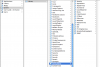
attached is a grab of /System/Library/Startupitems.
 

Attachments

  • Picture 1.png
    Picture 1.png
    102.9 KB · Views: 2
I've already done this... it still panics, it seems to be something below the user-level, but higher up than the core OS, an extension of some kind.
 
Does this happen if you log in with a different user account?

Since this happens when booted into two different volumes, it could be hardware related.
 
i may have fixed it.

i removed all the font caches, and the extentions caches, and replaced all the atiradeon9700 files in the extions folder with those from a similar computer. other than an error message saying that i incorrectly installed the atiradeon9700 stuff, it's working. graphics are choppy (exposé etc) but i'm downloading the combo updater to reinstall the radeon's driver updates, but it's not panicked.

i think it's fixed. i'll keep you posted.
 
interesting follow up. when we were fixing it, we broke something else. neither the combo updaters nor ATI's driver sets were able to fix the problem with the badly-installed ATIRadeon9700.kext, and now my correctly recognised 9600XT 128MB is telling me that it doesn't support either Core Image or even Quartz Extreme. it's a bit choppy!

any ideas?
 
post-script: a permissions repair fixed the post-op issues we were having. the kexts for the video drivers were sent to me from a similar mac, replacing my corrupted set, but like a liver transplant, my computer rejected the foreign drivers that weren't install properly, citing ownership issues. change the permissions, and it worked. it';s all fine now, but i ended up rebuilding any way about a month later.
 
Back
Top