Problem installing 10.2 on Beige G3

Ioncannon

Registered
Hi, I have been trying to install OS 10.2 on an old beige g3 for a while but I keep getting stumped. When I boot the cd I get to the grey apple logo, and see the circle loading icon at the bottom. After about two seconds, the mac freezes and I get two lines of garbled graphics.

Specs:

Desktop Version
Rev A mobo
128mb ram
stock on board video
stock HDD
generic cd-rom drive

I used a old mac monitor, and then used a converter so I could connect it to my newer VGA monitor. In both cases the mac froze. Also before you say upgrade firmware, I checked for beige g3 firmware and all I found was one for a SCSI card, which I do not have. Unless someone can point me to a version I missed.
 
I just found out there was a verbose mode. I can't seem to get back into it, but it mentioned it could not identify my cpu (said it was Gossamer though) and then at the bottom it read, kernel Panic: Just hanging there.
 
....
Specs:

Desktop Version
Rev A mobo
128mb ram
stock on board video
stock HDD
generic cd-rom drive

...
The beige G3 uses "Old World" ROMs and cannot be user-updated.

My experience is that 128 MB RAM is insufficient to do anything significant in MacOS 9.

I believe that it is officially enough for MacOS X 10.2, but you need at least 256 MB for moderate work.

How much free hard drive space do you have? This is one of the most critical issues with MacOS X.

What do you mean by "generic cd-rom drive"? Is this your stock CD-ROM drive or not?
 
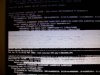
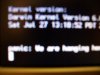
The hard drive was the original 4gb hard drive. Though I can't even get to the installation screen so I doubt thats the problem. I used Xpostfacto and was able to get into the verbose again. I attached what I get normally, verbose, and the panic text.

by generic cd-rom I meant there was no manufacture branding, and it came with the mac, so I would assume its a stock drive.

Before all the crashing happens I get a unresolved kernel trap error.


fixed
 

Attachments

  • 1000886lf5.jpg
    1000886lf5.jpg
    614.9 KB · Views: 7
  • 1000887mm6.jpg
    1000887mm6.jpg
    1 MB · Views: 9
  • 1000890ft4.jpg
    1000890ft4.jpg
    944 KB · Views: 7
Umm....could you add them as attachments instead of linking the ginormous pictures? Not only does it mess up the format of the thread, it's a pain to view unless you have a 96795x23465 resolution. ;)

Just edit them in a picture editing program and scale them smaller, that way they are small enough to meet the requirements for uploading the pictures as attachments. Thanks.
 
The hard drive was the original 4gb hard drive. Though I can't even get to the installation screen so I doubt thats the problem. I used Xpostfacto and was able to get into the verbose again. ...
The beige G3 does not need Xpostfacto to install MacOS X 10.2.x. You don't say whether or not your hard drive has all 4 GB of storage available as free space. Even if it has, however, you don't have enough space to do anything constructive. I don't know if this is the cause of your problem, but it will get you later if it is not getting you now.
 
I am not currently worried about size issues, I have a 20gb HDD I can insert later. The reason why I have that HDD in there is because I wanted to remove as much third party hardware as possible. I tried this with 320mb of ram, and the same thing happened. Also I have read that people have been able to install OS X with less then 128mb.

Added: Also, while trying to return the mac to it original state as possible, I installed the Mac OS that came with the G3. Currently there is 3.6GB left on the HDD, which should be enough for any data files the CD might copy to help boot. Sadly it still crashes.
 
Back
Top