supanatral
Registered
I just started to use time machine and I have to say that its a really neat program. Since I have a notebook, my external hard drive is not always plugged in, so when i do plug it in, time machine will automatically start backing up. Well, at least it did.
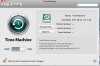
I just partitioned my primary (internal) drive for boot-camp and so Time Machine thought that my new partition was the drive I wanted to use Time Machine on so I changed it back to my external hard drive but now its not scheduled to backup anymore. I posted a screenshot of what it looks like. I launched Time Machine from Applications to see if it sees my previous backups and it does. How do I get this started again?
Is there a command that I can run that will run time machine manually?
I just partitioned my primary (internal) drive for boot-camp and so Time Machine thought that my new partition was the drive I wanted to use Time Machine on so I changed it back to my external hard drive but now its not scheduled to backup anymore. I posted a screenshot of what it looks like. I launched Time Machine from Applications to see if it sees my previous backups and it does. How do I get this started again?
Is there a command that I can run that will run time machine manually?