ensquaredp
Registered
Hi , When I boot my Mac OS 10.3 I get the following when I logon "error you have inserted a disk containing no volumes that MAC OS X can read"
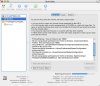
Although I can still see my hard drive on the desktop called Macintosh HD and I can access all files it seems as if something related to by boot / systems files has gone wrong as this error appears every time I boot. When I open up disk Utility I can see my hard disk yet the name is no longer Macintosh HD, the name changed to a numeric number.
When I try install any application it says unable to mount drive. When I connect My IPOD it also says you have inserted a disk containing no volumes that MAC OS X can read .
Please can I get some help on what files or settings has changed. All this occured when i plugged a USB external drive into my MAC. I have since removed the USB drive.
Although I can still see my hard drive on the desktop called Macintosh HD and I can access all files it seems as if something related to by boot / systems files has gone wrong as this error appears every time I boot. When I open up disk Utility I can see my hard disk yet the name is no longer Macintosh HD, the name changed to a numeric number.
When I try install any application it says unable to mount drive. When I connect My IPOD it also says you have inserted a disk containing no volumes that MAC OS X can read .
Please can I get some help on what files or settings has changed. All this occured when i plugged a USB external drive into my MAC. I have since removed the USB drive.