Cannot see anymore pdf file after an update!

spOOwn

Registered
Hello all,

I got a problem since an update! I cannot see anymore a pdf file from a website. I upgraded to safari 3.0.4 build 523.12 and MAC OS 10.4.11, and now there isn't any update available, I'm up to date as Sofware update say it !!

Is there a special option in Safari, to let it open pdf file or something other, to see these pdf files ? I enable the option "Enable plugins" in the preferences of safari (security tabs), but it doesn't help me !

Does anyone have the same problem ? Any other idea ? I try to change a lot of option to safari, but nothing works !!

Thanks for any answer or advice.
 
I have that version of Safari. I just tried it with a .pdf file which I found with Google. It opened it by itself. I didn't even need a helper application.
 
On another mac os 10.4 with the same safari version, it works too for me, but on another mac, after an update, it don't work anymore, and I don't known why, it must be a settings of something others. So, perhaps someone else get the same problem and found an answer !!

So, at this moment, on a mac, I still have this problem, it's really annoying...
 
On another mac os 10.4 with the same safari version, it works too for me, but on another mac, after an update, it don't work anymore, and I don't known why, it must be a settings of something others. So, perhaps someone else get the same problem and found an answer !!

So, at this moment, on a mac, I still have this problem, it's really annoying...

That is because another PDF viewer installed is interfering with the PDF function of the new Safari. So check the affected Mac for a third party PDF browser plugin that might be affecting it.
 
Did you have perhaps any idea how can I do that ?
I check on a MAC OS where the pdf can be open, which plugin in safari are installed, and I didn't see any stuff related to pdf !!
 
Safari does not seem to need Adobe. I do not have that, but Safari loaded a PDF file anyway when I tried it. What I do have are Preview and PDFView.
 
Safari does not seem to need Adobe. I do not have that, but Safari loaded a PDF file anyway when I tried it. What I do have are Preview and PDFView.
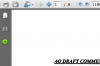
Within a gray page? Looking something like this? If so, that's Adobes's engine at work.
 

Attachments

  • pdf-example.png
    pdf-example.png
    13.8 KB · Views: 8
No, the page does not look like that. It looks like a normal Safari page, with a normal Safari toolbar and no sidebar.
 
I don't use too adobe to view a pdf file ! But perhpas on the mac, that have the problem, it's possible to there, there is adobe reader install, I have to check it !! How to force safari to open the pdf and not adobe or any other software ? any idea ?

Thanks.

Note : I have found how to change the setting, and only set safari viewer to get the pdf file open. But still not sure at this moment, if it will solve my problem... I will known it probably in a few hours !
 
Back
Top