is it possible to take a movie from a dvd and put it on your computer.

Handbrake

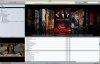
Put a dvd in, open handbrake and press 'rip'. it spits out about 1gb of MPEG-4 about an hour or so later (depending on the speed of your processor). perfect.

there's a whole host of options, too.
 
Your message, Lt., just made me notice that I _never_ actually tried the default settings of handbrake. ;) The very first time I've used it, I already had a much clearer (and different) picture of what my end-result would have to be.
 
oh me too, but i realised the the default settings pick out the largest title, set it to the quickest codec, offers a decent bitrate and in the right size too. i would probably want 'de-interlace picture' set to 'on' as default, but generally, it's not a bad set of standard settings.

how do you have your movie library? maybe we can compare notes... :P
 
I choose 640px or 720px width, XviD as the codec and a target of 900 MB for two hours of film. Works quite well for me, my video beamer and my iPod. :)
 
can ipods take videos larger than 640x480px? or do they need reencoding beforehand?

also, does Xvid work with iTunes? i really started to see the potential of iTunes when they added video support in 5. it's just now getting usable though...
 

Attachments

  • Picture-1.jpg
    Picture-1.jpg
    89.2 KB · Views: 10
nice one. yet another worry of mine squashed. i'm holding onto my faithful but failing 4g 40gb until the 6G ipod comes out. that or an 80gb iPhone...
 
That's not entirely true, I believe. The total pixel count can't be over 230'000 or something. So it depends on the aspect ratio of the video.
 
standard size would be...? 720*280 worked fine for me IIRC. It was an MPEG-4 file, not H.264. I must say, though, that I usually make 'em 4:3 for the iPod using iSquint. (So I keep a "good" copy at original aspect ratio for the beamer and future keeping and an "okay" one at 4:3, 320*240 for the iPod, which I often delete after seeing it. I do them before I go on short trips, for example.)
 
Back
Top