Problem with ~/Users/Library/Mirrors

sgould

Registered
My dotmac website is showing that I have used 600MB of the 10GB available.

But, I have found a .dmg file in ~/Users/Library/Mirrors that has the same name as my dotmac ID with the .dmg appended. This file is 9.95GB!

What is it? Can I delete it? It doesn't look right to me. It's the same size as my iDisk, which should only have the 600MB on it...

I tried opening it, but it doesn't "do" anything.

Found this file while trying to free up space on the hard disc.
 
In Leopard I don't even have this folder. The stuff I looked up says this file is a copy of what you have in your iDisk. You set this up in the .Mac pane.
 
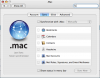
It comes from turning on iDisk synching. Look in the System Preferences, under the ".Mac" section, for something titled "iDisk Sync" or "iDisk Local Synching".

What this does is copy all the information and data from your .Mac account to your local hard drive, so that you can access the stuff stored on your .Mac account even when you're not connected to the internet. It's a "mirror image" of what is on your .Mac iDisk account.
 
It comes from turning on iDisk synching. Look in the System Preferences, under the ".Mac" section, for something titled "iDisk Sync" or "iDisk Local Synching".

What this does is copy all the information and data from your .Mac account to your local hard drive, so that you can access the stuff stored on your .Mac account even when you're not connected to the internet. It's a "mirror image" of what is on your .Mac iDisk account.
 
Thanks!

If it's a copy, is there a way I can see the contents? What I would like to do is find out why it's taking up 9.95 GB when I only have a dotmac content of 600MB. It gives a "latest modification" time of now, so it seems to be active. I have dotmac synching turned off, but have have been trying to update my webpage via iWeb.

If I delete it will the system recreate it? Or will I have a dotmac problem?

Should have said: G4 Quicksilver 993, 10.4.10, 1GB memory.
 
To delete it, turn off iDisk Synching in the System Preferences first. That should automatically delete it -- if not, then you can manually delete it, but the key is to turn off synching before you delete it and make sure synching is off.

Perhaps it's almost 10GB because it needs to be the same size as your iDisk, regardless of used vs. free space. I dunno.

It shouldn't affect .Mac at all -- you just won't have access to your iDisk files while not connected to the internet -- you would be required to have internet access, then manually mount your iDisk in order to get to the files stored there.

The modification date leads me to believe that your iDisk synching *IS* turned on. Can you provide a screenshot of the iDisk synching preference pane so we can take a look?
 
Checked the System Prefs and found that Sync was ON.

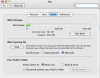
But it has been set to Manual Sync. Which I haven't used since I installed Tiger. As you can see it says "Never Synchronised". So why is it syncrhonising still?

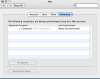
Attached the screen shots of the Sys Prefs BEFORE turning the sync off.

When I turned off the Sync, I got a .dmg on the Desktop called "Previous local iDisk for...... .dmg". I can move this to Trash, but I can't delete it as it says it's "in use". There is also a new iDisk on the desktop but it has the generic disc icon, not the usual blue sphere.

Totally confused now!
 

Attachments

  • Picture 1.png
    Picture 1.png
    81.7 KB · Views: 2
  • Picture 2.png
    Picture 2.png
    63.9 KB · Views: 2
  • Picture 3.png
    Picture 3.png
    41.6 KB · Views: 2
Update.

Done a restart and I can empty the Trash. Emptied it; and I've recovered 9.95Gb of space on my Hard Drive. Disc is now only about 70% full instead of 90%.

iDisk icon has gone from the desktop too.
 
Update.

Done a restart and I can empty the Trash. Emptied it; and I've recovered 9.95Gb of space on my Hard Drive. Disc is now only about 70% full instead of 90%.

iDisk icon has gone from the desktop too.

Time for an external firewire + hard drive to hold your iTunes Music/Videos Libraries. This will free up a lot of hard drive room.

In BSD Unix systems (like OS X) it is good to keep 15% or more hard drive free space for buffering and swap files.
 
I bought a 1TB disc in the summer :) ........ but I've only used it for archiving. I think I'll have to run it full time soon.
 
Back
Top